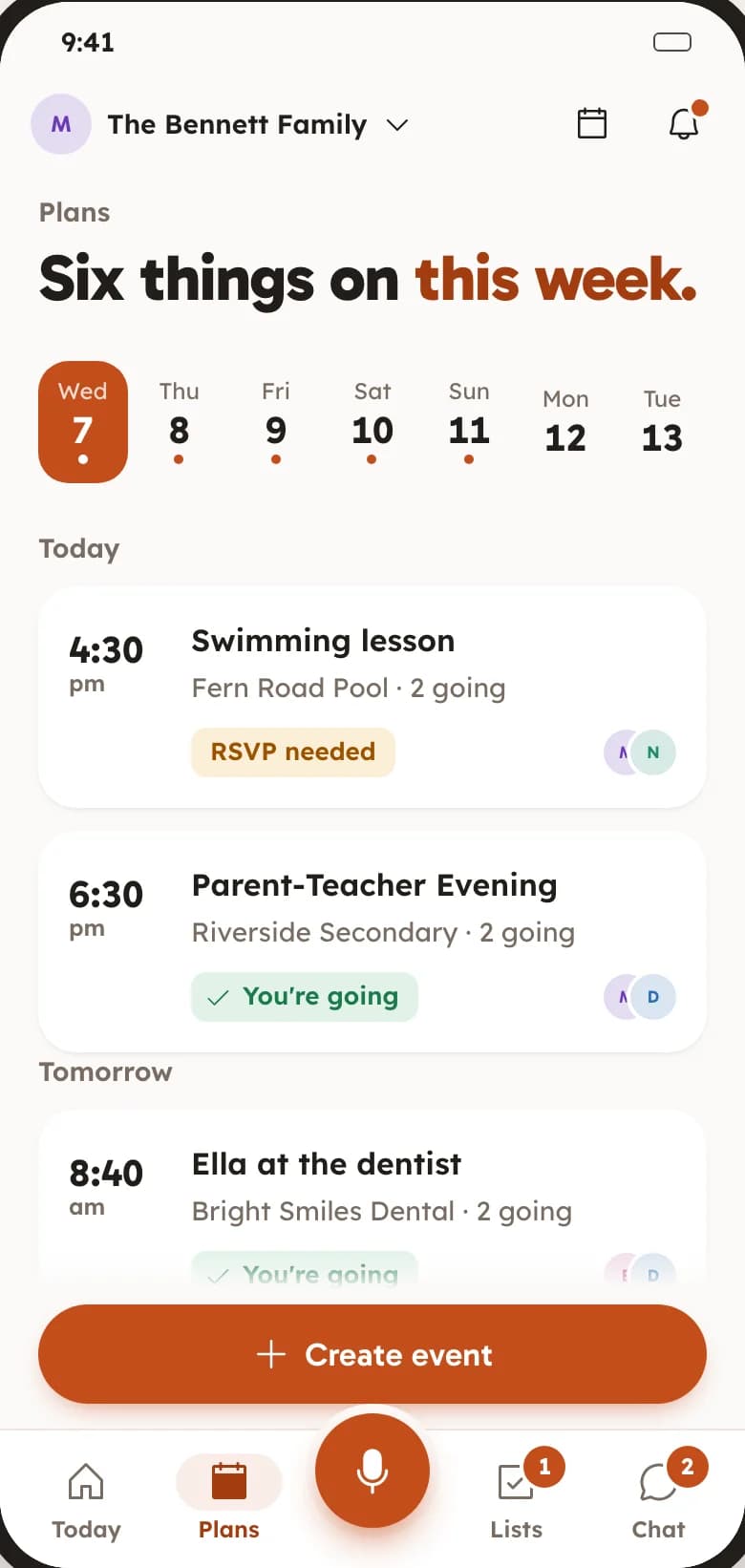
Ella is goingSwimming, every WednesdayDentist in an hour
The calendar is on the wall.Everyone is out.
A paper calendar on the kitchen wall, a work calendar on one phone and the rest in a group chat. A family calendar only works if everyone is looking at the same one.
What the calendar does.
Everything below is in FAM today, free, for everyone in your family.
Everyone sees the same week
Swimming, the dentist, parents’ evening and Sunday lunch, on one calendar the whole family opens. Nobody has to ask “what’s on this week?” again.
One calendar per family. This week at a glance. Works on Android and in a browser.
Know who is coming
Everyone answers going, maybe or can’t go, and you see their faces on the plan. When someone says yes, whoever made the plan gets a note.
Going, maybe, can’t go. See who is going. A note when someone says yes.
Add a plan in a few taps
Name it, pick a day and a time, done. Or hold the mic and say “dentist Thursday at 8:40” and FAM puts it on the calendar.
Quick answers for when. Voice adding. A place and notes.
Repeats and reminders
Set the swimming lesson once and it repeats. On Android, FAM reminds you an hour before each plan, so nobody is still in the car when it starts.
Daily, weekly, every 2 weeks, monthly, yearly. A reminder an hour before. Turn reminders off any time.
In your own calendar too
On Android, tap “Add to my calendar” on any plan to put it in your phone’s own calendar, next to work and everything else.
One tap. No extra account to link.
Birthdays that do not sneak up
Add your birthday and the family gets a reminder three days before and on the day, with your wishlist if you have one.
Three days’ notice. A note on the day. Hide yours if you prefer.
Trips with an itinerary
Give a day out or a holiday its own plan for the day, hour by hour, and keep the packing list next to it.
Itineraries and time blocks. Packing lists. Photos from the day.
The whole family on one week, in a minute.
1
Make your Space
A Space is your family’s private home in FAM: one calendar, one set of lists, one chat.
2
Share the link
Send your family an invite link. They install FAM, or open it in a browser, and see the same week as you.
3
Add the first plan
Put the next thing on: the school run, a birthday, Sunday lunch. Everyone says whether they are going.
Yes. FAM is free with every feature switched on, for everyone in your family. There is no trial, no card and no ads.
Can someone on an iPhone see the calendar?
Yes, in a browser. FAM is on Google Play today and the iPhone app is in the works. Until then, anyone on an iPhone or a computer can open the invite link, sign in at keepitclose.app and see the same calendar.
Does it sync with Google Calendar?
Not as a live sync yet. On Android, “Add to my calendar” puts any plan into your phone’s own calendar, Google Calendar included, in one tap.
Who can see our calendar?
Only the people you invite to your Space. FAM is invite-only, and we do not sell data or show ads.
Can we keep a separate calendar for the grandparents or a trip?
Yes. Make another Space for any group: grandparents, housemates, a holiday with friends. Each Space has its own calendar, lists and chat.
 FAM
FAM