The family meal planner that writes the shopping list.

Plan the week together, keep your recipes in one place, and turn them into one shared list in a tap.

Free on Android and in any browser. No ads.

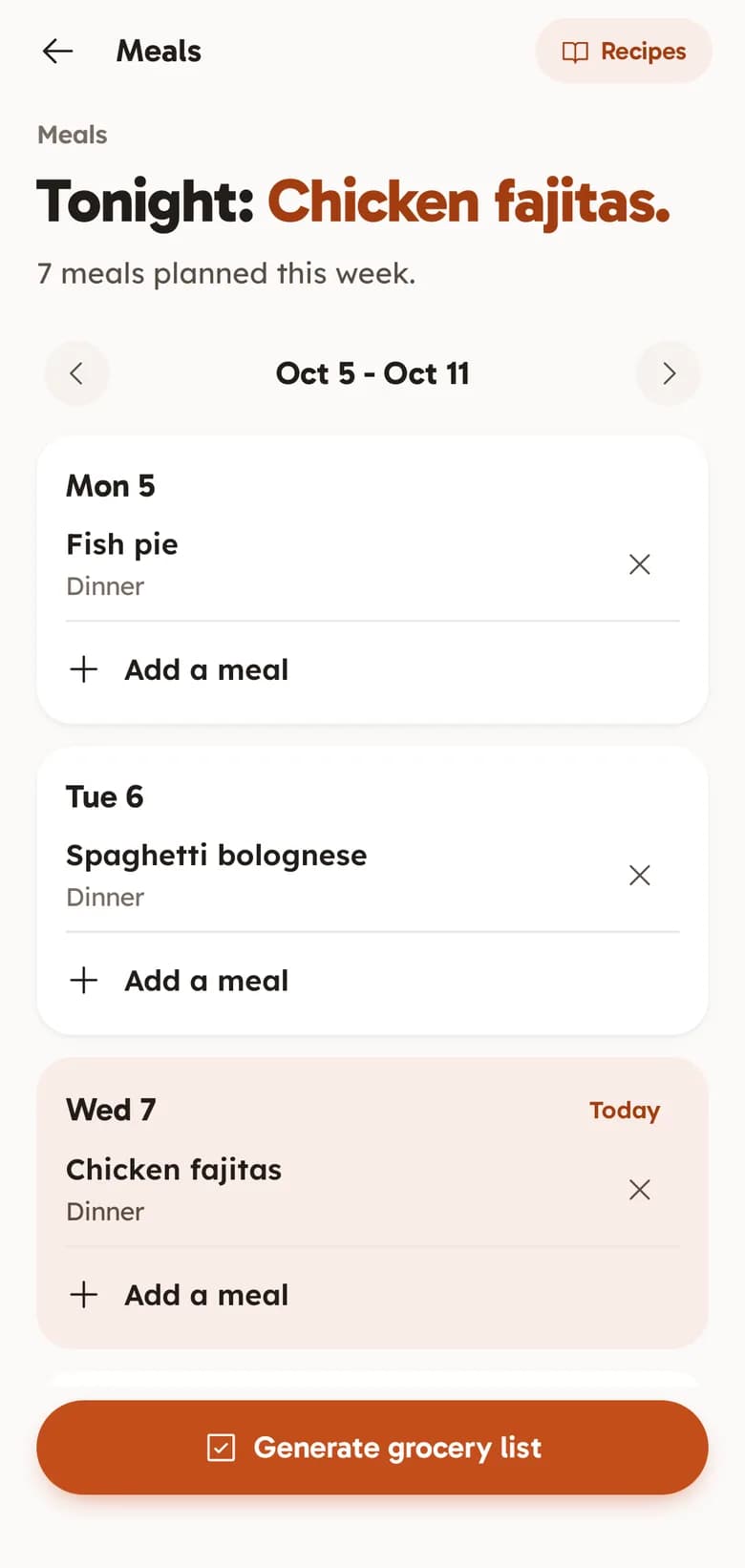
FAM's Meals screen: Tonight, chicken fajitas, with 7 meals planned this week. Fish pie on Monday, spaghetti bolognese on Tuesday and chicken fajitas today, with a Generate grocery list button.

What’s for tea? Already decided.

Half past five, nothing planned, and the one thing you need is the one thing nobody bought. A shared plan and the list that comes from it end the nightly “what’s for tea?”.

What the planner does.

Everything below is in FAM today, free, for everyone in your family.

The week’s meals, a day at a time

Fish pie on Monday, pizza night on Friday, a roast on Sunday. Everyone in the family sees the same week, and FAM opens on what is for dinner tonight.

Breakfast, lunch, dinner and snacks. This week, next week and beyond. Shared with the whole family.

A recipe box for the family

Keep the recipes you actually cook, with their ingredients, steps, servings and prep time, and add one to the plan in a tap.

Ingredients and steps. Servings and prep time. Pick a recipe when you plan.

The shopping list writes itself

Tap Generate grocery list and the ingredients of every recipe on the week’s plan become one shopping list, with doubles taken out.

From the week’s recipes. No duplicates. Shared, ticked off in the shop.

How the shared grocery list works

From recipes to a shopping list.

  1. Add a few recipes

    The family favourites first, each with its ingredients.

  2. Plan the week

    Put a recipe, or just a name like “Leftovers”, on each day.

  3. Make the list

    Tap Generate grocery list, then share the shop. Whoever goes ticks it off.

Before you plan the week.

Something else? Email support@keepitclose.app

Is the meal planner free?

Yes. FAM is free with every feature switched on, for everyone in your family. There is no subscription, no trial and no ads.

What goes on the shopping list?

The ingredients of the recipes on that week’s plan. A meal you type in without a recipe, like “Pizza night”, stays on the plan but adds nothing to the list, so add those few things to the list yourself.

Does it come with recipes?

No. The recipe box holds your family’s own recipes, the ones you actually cook.

Can someone on an iPhone see the plan?

Yes, in a browser. FAM is on Google Play today and the iPhone app is in the works. Anyone on an iPhone or a computer signs in at keepitclose.app and sees the same meals and recipes.

Who can see our meals?

Only the people you invite to your Space. FAM is invite-only, and we do not sell data or show ads.

The meals. The list. The family.

FAM is the family organiser behind this planner, with a shared calendar and household bills too.

Get FAM on Google PlayiOS coming soon. Works in any browser today.