 FAM
FAMOne calendar for the house
The school run, swimming, parents’ evening and Sunday lunch on one calendar the whole family sees, with who is going to each.
Going, maybe, can’t go. Repeats and reminders. Birthdays three days ahead.
The calendar, the lists, the meals and the family chat in one app. Made in the UK and free for everyone in your family.
Free on Android and in any browser. No ads.
The calendar on the fridge, the class WhatsApp, a list on the back of an envelope and the bills in someone’s inbox. A family organiser puts them in one place everyone can open.
Everything below is in FAM today, free, for everyone in your family.
The school run, swimming, parents’ evening and Sunday lunch on one calendar the whole family sees, with who is going to each.
Going, maybe, can’t go. Repeats and reminders. Birthdays three days ahead.
The big shop, the packing for half term, the chores. Tick it off in the shop and it is gone from every phone, with who got what.
Real-time check-off. Ready-made starters. Home screen widget on Android.
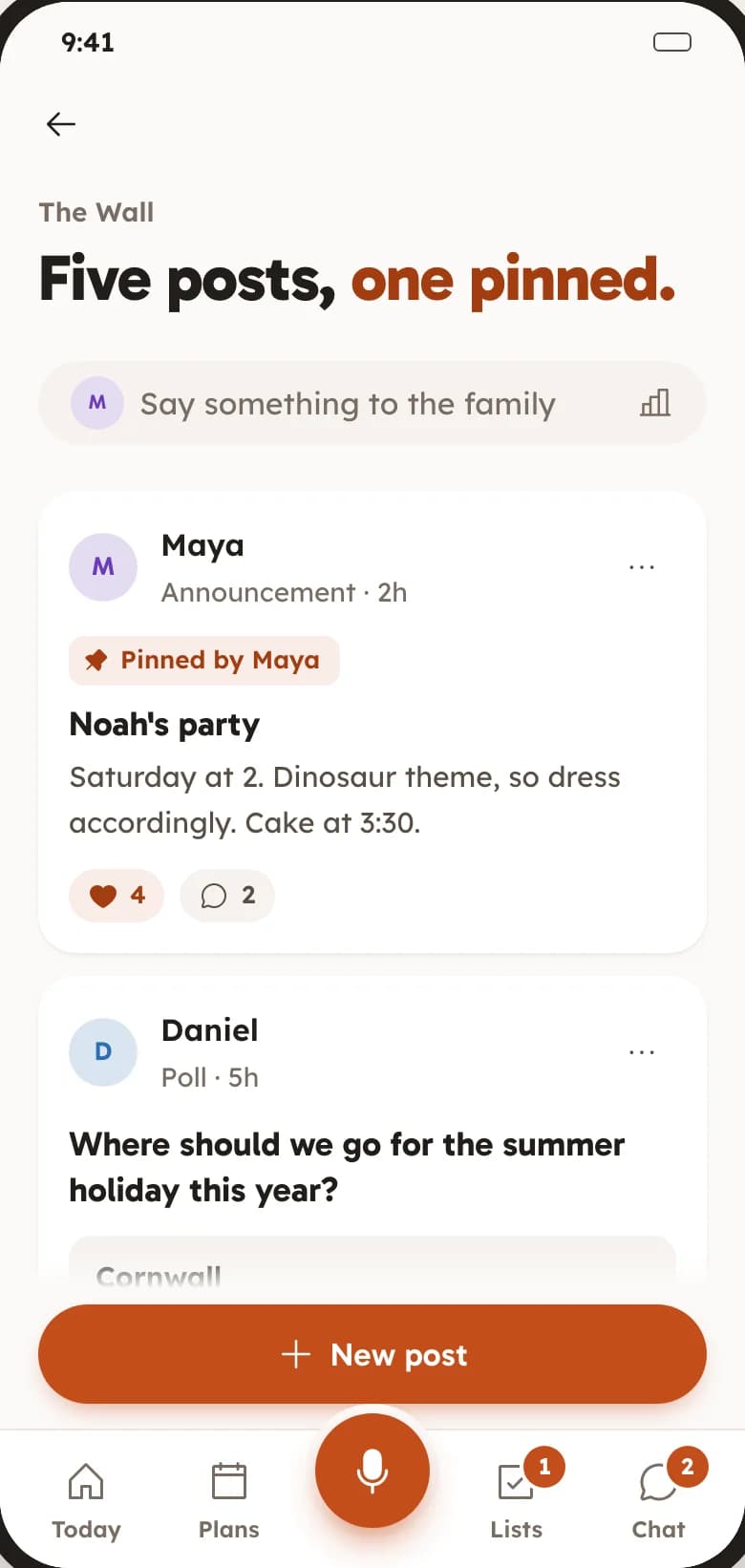
Pin the party details where nobody can miss them, or put the summer holiday to a vote: Cornwall or the Lakes.
Announcements. Polls. Pinned posts.
Plan dinners for the week and turn their ingredients into the shopping list in one go.
Weekly meal plan. Recipe box. Builds the grocery list.
See what is due this month and how the holiday fund is doing, in the same app as everything else.
Bills. Savings goals.
A group chat for the people in your Space, next to the calendar and the lists instead of lost in another app.
Family chat. Photos tied to the day they happened.
A Space is your family’s private home in FAM. Make one for your household, and another for the grandparents or a trip if you like.
Share an invite link. Each person installs FAM, or opens it in a browser, and sees the same calendar and lists.
Add the next few plans and start the big shop list. Everyone sees it straight away.
Something else? Email support@keepitclose.app
Yes. FAM is free with every feature switched on, for everyone in your family. There is no subscription, no trial, no card and no ads.
MOHBI, an independent web studio based in the United Kingdom.
Yes, in a browser. FAM is on Google Play today and the iPhone app is in the works. Until then, anyone on an iPhone or a computer opens the invite link and signs in at keepitclose.app.
Yes. Make a Space for each household, or one for everyone. A person can be in as many Spaces as they need, and each has its own calendar, lists and chat.
Only the people you invite to your Space. FAM is invite-only, and we do not sell data or show ads.

Moving from Cozi? See how they compare, or see everything in FAM.
Get FAM on Google PlayiOS coming soon. Works in any browser today.