 FAM
FAMWhat it costs
FAM: Free, with every feature on, for everyone in your family.
TimeTree: Free with ads. TimeTree Premium is a paid subscription: the UK App Store lists it at £3.49 or £34.99.
A shared family calendar, plus the grocery list, the meals, the bills and a family chat. Free for everyone, with no ads.
Free on Android and in any browser. No ads.
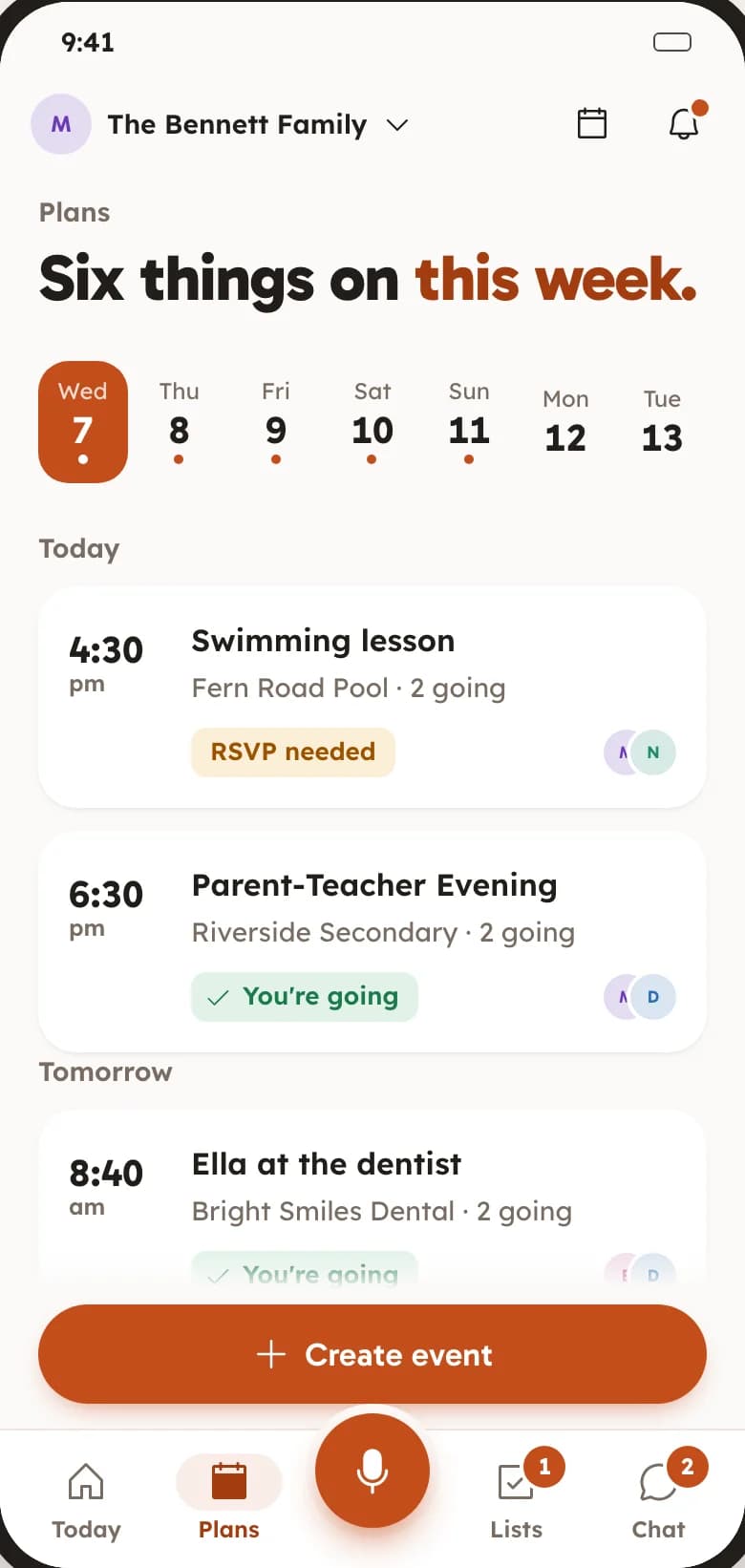
TimeTree is a well-loved shared calendar, free with ads, with Premium to remove them. FAM puts the calendar next to the shopping, the meals and the bills, and has no paid plan at all.
FAM against TimeTree’s free plan. TimeTree details are from its own UK App Store and Google Play listings, checked on 28 October 2026.
FAM: Free, with every feature on, for everyone in your family.
TimeTree: Free with ads. TimeTree Premium is a paid subscription: the UK App Store lists it at £3.49 or £34.99.
FAM: None.
TimeTree: Google Play marks the app “Contains ads”. Premium lists “No ads” among what you pay for.
FAM: A shared grocery list with who got what, a week of meals that writes the shopping list, and the household bills.
TimeTree: Memos and to-do lists you can share, next to a calendar-first app.
FAM: A family chat for everyone in your Space, plus Going, Maybe or Can’t on every plan.
TimeTree: A chat inside each event, for “what time?” and “where?”.
FAM: On Android, add a plan to your phone’s calendar one at a time. There is no live sync.
TimeTree: Copies or syncs with your phone’s calendars, such as Google Calendar. If you need that, TimeTree does it.
FAM: Not yet. Anyone on an iPhone uses FAM in a browser at keepitclose.app.
TimeTree: Apps for iPhone and Android, and a web version. If your family needs an iPhone app today, TimeTree has one.
Also in FAM, free.
Everyone answers going, maybe or can’t go on a plan, and whoever made it gets a note when someone says yes.
The shared grocery list updates on every phone as items are ticked off in the shop, with who got what.
Add your birthday and the family gets a reminder three days before and on the day, with your wishlist if you have one.
Get it on Google Play, or sign in at keepitclose.app from any browser. Make your family’s Space.
There is no import from TimeTree yet, so start with what is coming up. A plan takes a name and a time.
Send your family the invite link on WhatsApp or by text. They see the same calendar and lists straight away.
Something else? Email support@keepitclose.app
Yes. Every feature is on for everyone in your family. There is no paid tier, no trial, no card and no ads.
Not yet. Most families start by adding the next few weeks of plans, which takes a few minutes, and keep TimeTree open until they are done.
In a browser, yes. The iPhone app is in the works. Until then, anyone on an iPhone opens the invite link, signs in at keepitclose.app and uses the same Space.
No. FAM is a separate app with no connection to TimeTree.
Only the people you invite to your Space. FAM is invite-only, and we do not sell data or show ads.
See how the family calendar and the shared grocery list work, or everything in FAM.
Get FAM on Google PlayTimeTree is a trademark of its owner. FAM is not connected to TimeTree.